Locks, intercoms, and door hardware we can design around.
Representative smart locks, keypads, readers, video intercoms, and gate or garage controllers, from premium quality to budget-friendly. These are examples, not a storefront and not a ranking. A site survey decides the final equipment. No prices are listed here.
Example equipment
From the lock on the door to the station at the gate.
A smart lock sits on the door itself. We match it to the door prep, how the household wants to unlock, and whether you want codes, a phone, or a lock that stays out of sight.
Premium · Smart lock
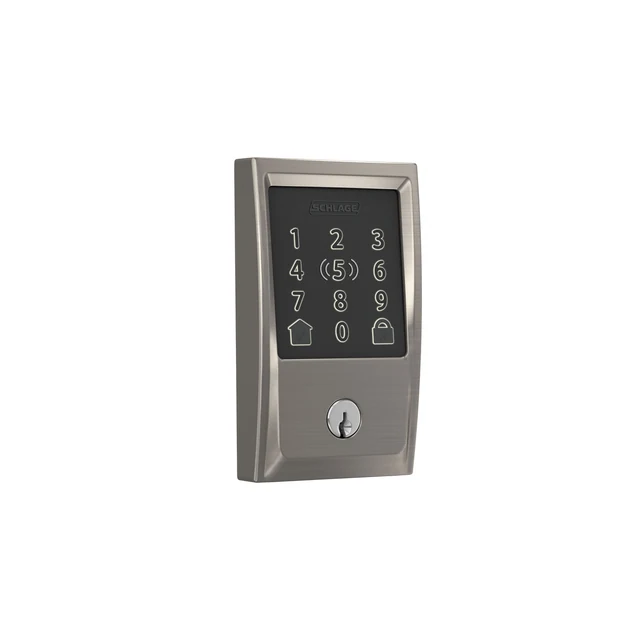
Schlage Encode Plus
Best for a front door that needs keypad codes and Apple Home Key, without a separate hub.
Specifications and planning notes
Built-in Wi-Fi (2.4 GHz network required); no extra hub for app control
Works with Apple Home Key on iPhone or Apple Watch, plus the Schlage Home app
Up to 100 access codes; auto-lock and a built-in alarm for forced-entry attempts
Powered by four AA batteries; a physical backup key is included
Fits standard doors 1-3/8 in. to 1-3/4 in. thick, with a 2-3/8 or 2-3/4 in. backset
ANSI/BHMA Grade 1 commercial and Grade AAA residential ratings
A Wi-Fi deadbolt that replaces a standard deadbolt. Voice assistants and some automations depend on the household’s existing setup. We confirm door thickness and backset on the visit.
Premium · Invisible lock
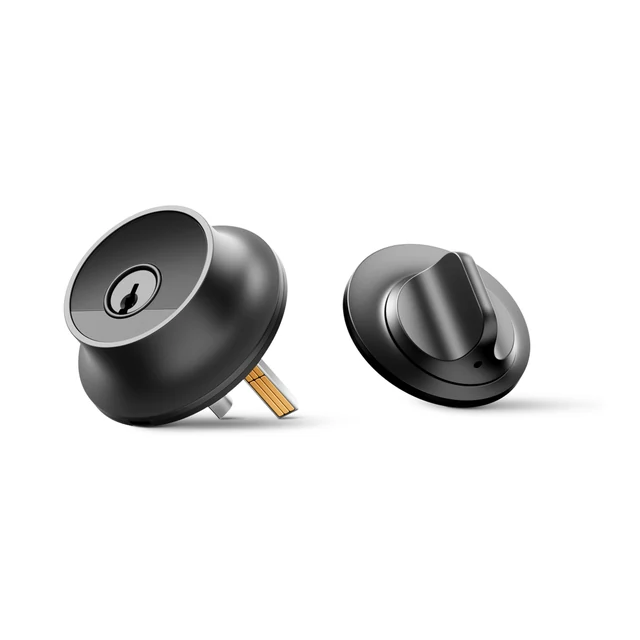
Level Lock Pro
Best for a door where you want the smart hardware hidden, with Apple Home Key and optional keypad codes.
Specifications and planning notes
Sits inside a standard American deadbolt prep so the interior and exterior stay looking like ordinary hardware
Unlock with the Level Home app, Apple Home Key, included NFC key fobs, or a physical key
Matter-over-Thread built in; a compatible hub is required for remote access and some automations
Integrated sensors report whether the door is open or closed
Fits doors 1.75 in. to 2 in. thick, with a 2.375 or 2.75 in. backset and a 2.125 in. bore
Powered by one CR2 lithium battery inside the bolt
An optional Level Keypad, sold separately, can be mounted near the door for guest codes. We confirm the door prep and whether a Matter hub is already in the home.
Mid-range · Smart lock
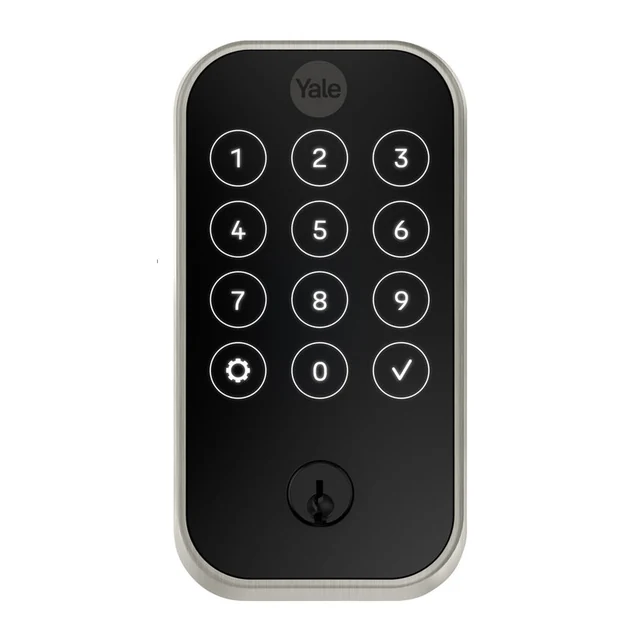
Yale Assure Lock 2 Touchscreen with Wi-Fi
Best for a household that wants a touchscreen keypad and the Yale Access app on a typical entry door.
Specifications and planning notes
Touchscreen keypad on the outside of the lock, with a physical key as a backup
Wi-Fi models connect to a 2.4 GHz network and are managed with the free Yale Access app
ANSI/BHMA Grade 2
Powered by four AA batteries (included)
Fits doors 1-3/8 in. to 2-1/4 in. thick, with a 2-3/8 or 2-3/4 in. backset
Face bore 2-1/8 in. or 1-1/2 in.; edge bore 1 in.
This is the touchscreen Wi-Fi model in the Assure Lock 2 family. Other keypad or fingerprint versions exist; we match the model to the door and how you want to unlock it.
Budget-friendly · Retrofit lock
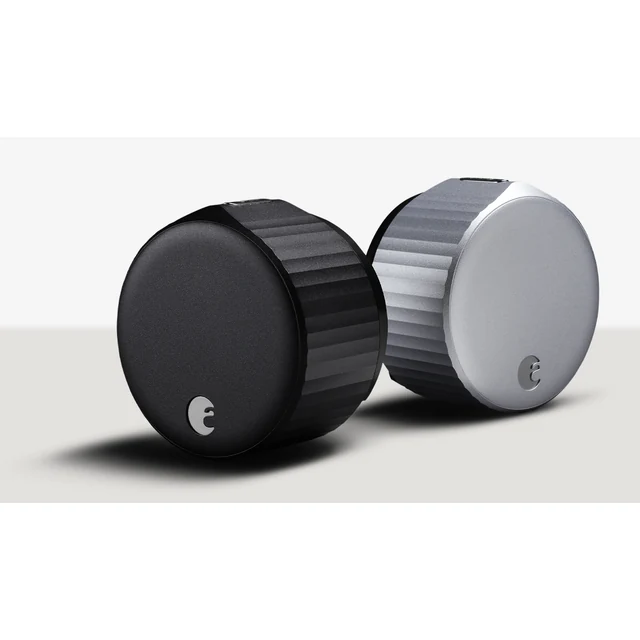
August Wi-Fi Smart Lock
Best for adding app control to a deadbolt you already like, without replacing the outdoor hardware.
Specifications and planning notes
Installs on the inside of a single-cylinder deadbolt and leaves the existing exterior cylinder in place
Built-in Wi-Fi (2.4 GHz or 5 GHz) and Bluetooth; no separate bridge required
Managed with the August app; a DoorSense door-position sensor is included
Device is 72 mm (2.8 in) in diameter and 46 mm (1.8 in) deep
Powered by two CR123 batteries
The existing deadbolt must be a compatible single-cylinder model. We check clearance on the inside of the door before recommending this retrofit.
Keypads
A keypad is useful when someone should be able to enter a code without opening an app — family members, a cleaner, or a guest code that can expire. Some locks above already include a keypad. The reader below is a dedicated keypad at the door, used with an access system.
Professional · Keypad reader
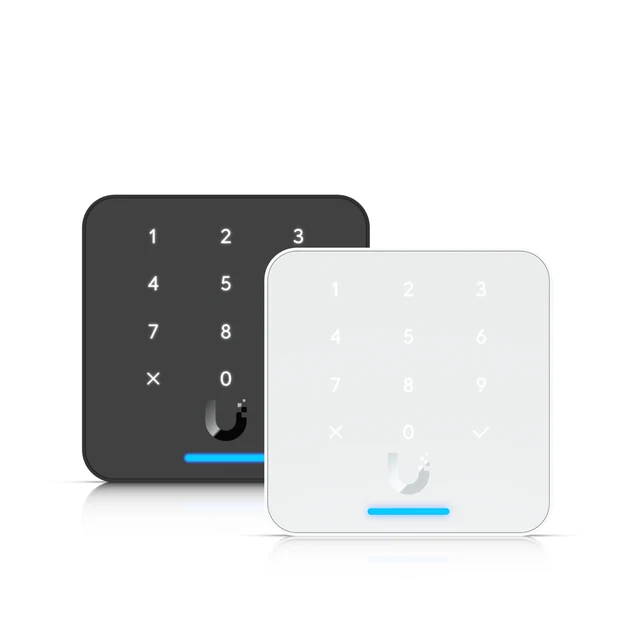
UniFi G3 Reader Flex
Best for a side door or gate where people use a PIN, a card, or a phone, without needing a full intercom screen.
Specifications and planning notes
12-button capacitive keypad for PIN entry, plus NFC cards, keyfobs, and mobile unlock
Supports Apple Wallet and Google Wallet credentials
IP55 weather rating for indoor or outdoor use
Connects over a 10/100 MbE RJ45 port and is powered by PoE, 5 W maximum
88 × 88 × 36.5 mm (3.5 × 3.5 × 1.4 in)
Managed through UniFi Access
Needs a compatible UniFi Access hub and UniFi Access management. We plan the PoE run and how PINs, cards, and phone credentials will be issued.
Fobs, cards, and readers
A reader is what you tap or type at the door. Fobs and cards are easy to hand out and easy to turn off if one is lost. Phone credentials are an option on many of the same readers; we confirm what your phones actually support.
Professional · Reader with camera
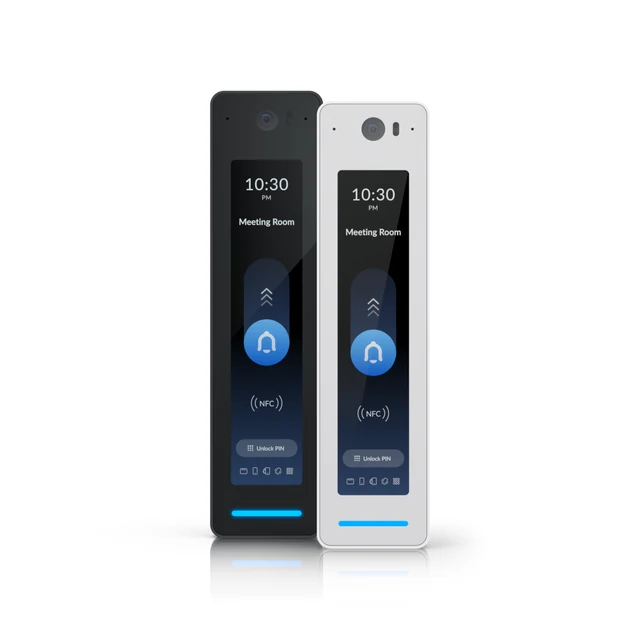
UniFi G2 Reader Pro
Best for an entry that should also show a live view and let you speak with a visitor, in a slim reader rather than a full intercom.
Specifications and planning notes
Built-in camera and two-way audio, with a 4.7-inch touch display
Unlock with NFC card or keyfob, PIN, QR code, or a phone
IP55 weather rating for indoor or outdoor use; powered by PoE, 6 W maximum
Gigabit RJ45 connection; 2MP video at up to 30 fps
160 × 40.4 × 40.55 mm (6.3 × 1.59 × 1.6 in)
Managed through UniFi Access, and can be paired with UniFi Protect cameras
Needs a compatible UniFi Access hub. We aim the camera so you can recognize a visitor and confirm the mounting height on site.
Credentials · Keyfob
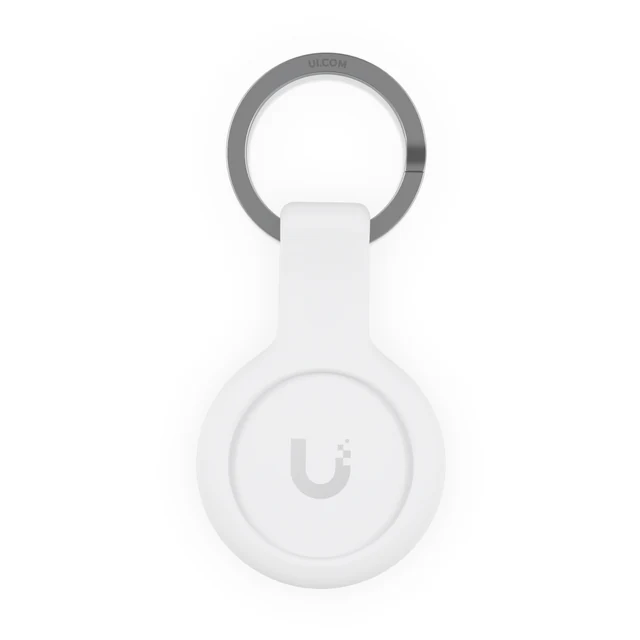
UniFi Pocket Keyfob
Best for handing a tap-to-unlock fob to family, a cleaner, or a tenant, and turning it off if one is lost.
Specifications and planning notes
NFC keyfob for UniFi Access readers and intercoms, 13.56 MHz
Uses MIFARE DESFire EV3 and UniFi Access’s own security protocol
Works with UniFi Access; each fob is assigned to a person in the system
Fobs are issued and can be turned off in UniFi Access. We enroll them with you at handoff and show you how to add or remove one later. Sold in packs; the number needed depends on the household.
Video intercoms and door stations
A video doorbell suits a typical front door. A full intercom or door station is the better fit for a gate, a lobby, more than one home, or when you want a directory, a wall monitor, and several ways to unlock.
Premium · Video intercom
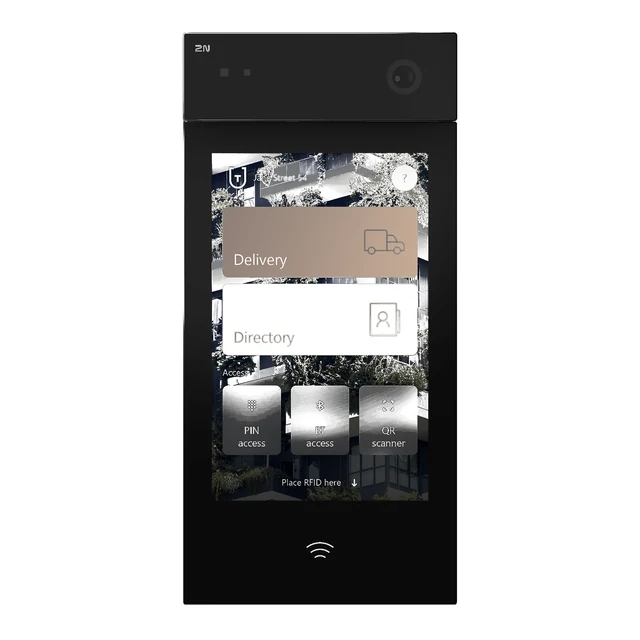
2N IP Style
Best for a front door or lobby that needs a large directory screen, SIP calling, and several ways to unlock.
Specifications and planning notes
10.1-inch touch display with an on-screen keypad and a directory for up to 10,000 users
Camera up to 2560 × 1920, 138° horizontal view, infrared and WDR; two-way audio
Unlock with a phone (WaveKey), RFID card, PIN, or QR code, depending on configuration
SIP video intercom; can be powered by PoE+ (IEEE 802.3at) or 12 V DC
IP65 and IK08 rated for outdoor use; operating range −30 to 60°C
Built-in door switch outputs for a lock or gate
A full SIP intercom, not a simple doorbell. Indoor monitors and mobile answering are planned with the station. We confirm power (PoE+ or a 12 V supply) and how the door or gate will be released.
Professional · Video intercom
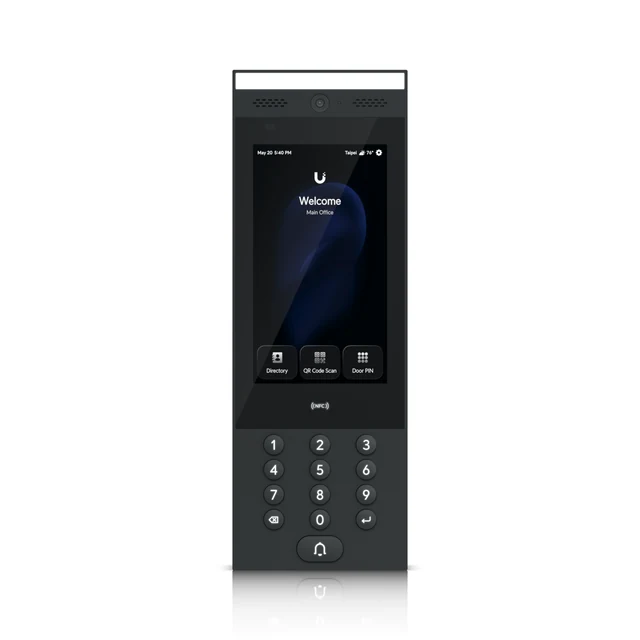
UniFi G3 Intercom
Best for a gate, a second dwelling, or a property that already uses UniFi Access and needs a full door station.
Specifications and planning notes
7-inch capacitive touch display (1024 × 600) and a built-in camera with two-way audio
Unlock with NFC card or keyfob, PIN, QR code, Apple or Google Wallet, or a phone
IP65 weather rating for indoor or outdoor use; gigabit RJ45 with PoE, 13 W maximum
324.8 × 113.7 × 28.3 mm (12.8 × 4.5 × 1.1 in)
Managed through UniFi Access; can work with indoor Intercom Viewers and Protect cameras
Needs a compatible UniFi Access hub and UniFi Access management. We plan the PoE run, mounting (wall, flush, or a gooseneck at a gate), and who appears in the directory.
Mid-range · Video door station
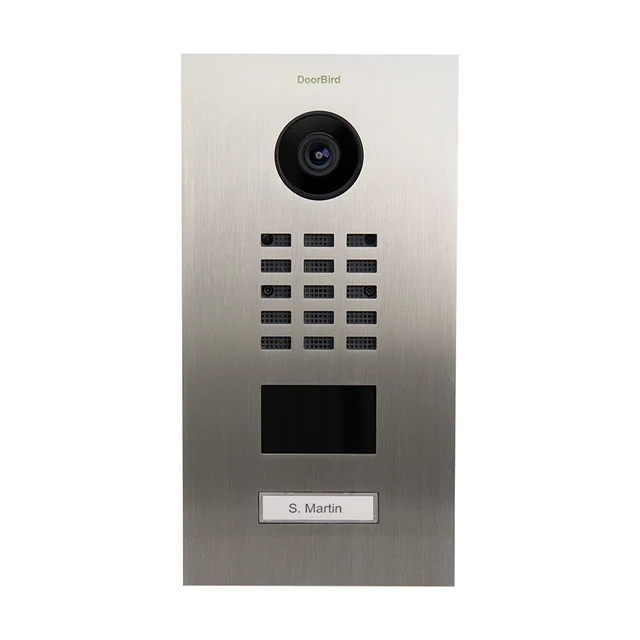
DoorBird D2101V
Best for a single-family entrance that should ring a phone, open a door or gate, and keep a visitor history.
Specifications and planning notes
IP video door station with a 720p camera, 180° ultra-wide lens, and 12 infrared LEDs for night view
Two-way audio with noise reduction and echo cancellation; illuminated call button
125 kHz RFID reader; two configurable relays for a door or gate
Powered by 15 V DC or PoE (IEEE 802.3af Mode A); RJ45 10/100 Ethernet
IP65 and IK08 rated; 253 × 131 × 48.75 mm (9.96 × 5.16 × 1.92 in)
Answer from the DoorBird app on iOS or Android, or via SIP
Surface- or flush-mount housings are selected separately. The stainless front panel shown is one of several official finishes. We confirm how the relays will be wired to the lock or gate operator.
Budget-friendly · Compact door station
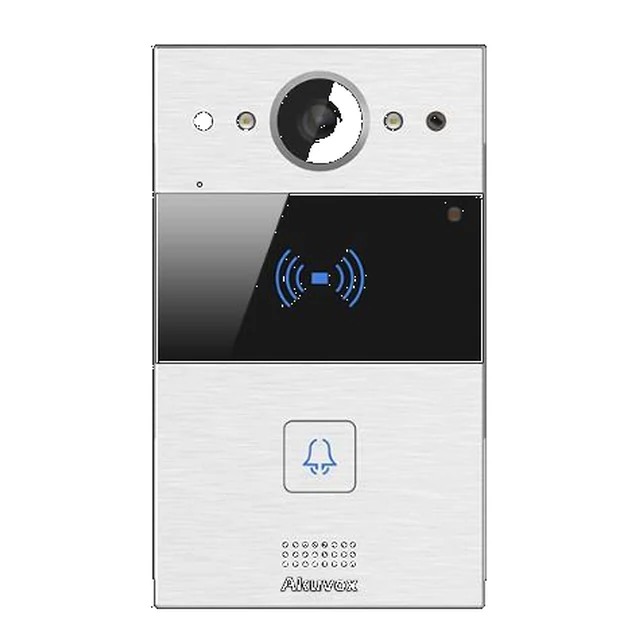
Akuvox R20A
Best for a compact SIP door phone at a single door, with a camera, a call button, and card or fob entry.
Specifications and planning notes
Compact SIP video door phone with a 2MP camera and automatic illumination
About 110° × 58° viewing angle; H.264 video up to 1080p at 30 fps
Card reader for 13.56 MHz and 125 kHz credentials; two relays and two inputs
RS485 and Wiegand interfaces for additional access hardware
Powered by PoE (IEEE 802.3af) or 12 V DC; IP65 rated
Flush- or surface-mount options, depending on the housing
A compact door station, not a large directory intercom. Indoor monitors and the SmartPlus app are planned with the station when you want to answer from inside or away from home.
Value · Video doorbell
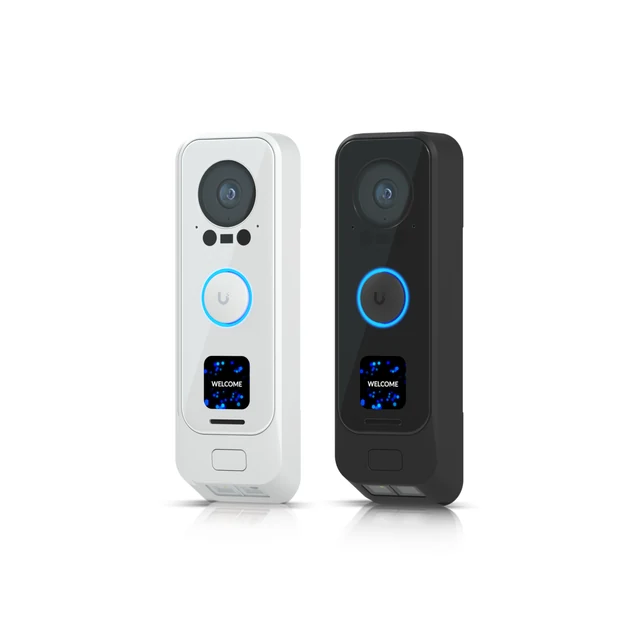
UniFi G4 Doorbell Pro
Best for a typical front door that needs a video doorbell with a package-level camera, not a full gate intercom.
Specifications and planning notes
Main camera plus a downward package camera; both 2MP (1600 × 1200) at up to 30 fps
Two-way audio, infrared night vision to 6 m (20 ft), and person, vehicle, and animal detections
Connects by Wi-Fi, or by Ethernet with the official PoE adapter; 10 W maximum
Can be powered by 16–24 V AC doorbell wiring or a USB-C power cable
Records through UniFi Protect on a compatible UniFi recorder or console
This is a UniFi Protect doorbell, not a UniFi Access intercom. A full door or gate station is a better fit when you need a directory, a keypad, or a card reader. We confirm existing doorbell wiring and chime compatibility.
Gate and garage controllers
Most properties already have a gate operator or a garage opener. We connect to that equipment when it is in good working order, and we add the hub or control that lets you see who is there and open it from a phone or a monitor.
Professional · Gate controller
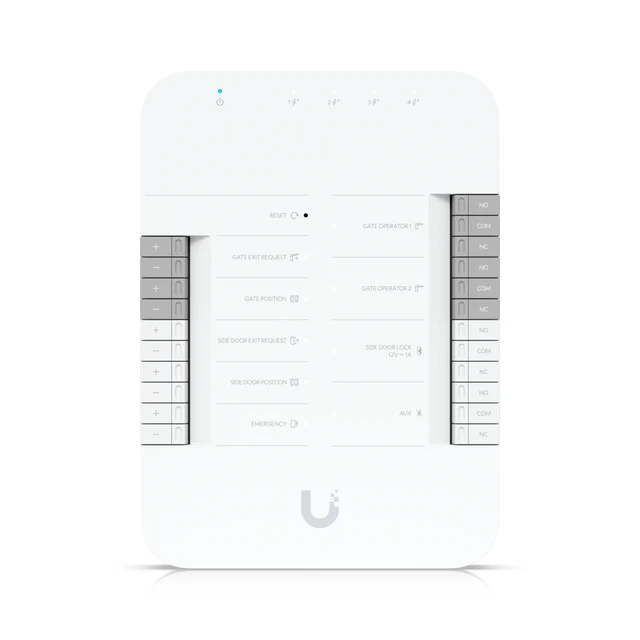
UniFi Gate Hub
Best for a driveway gate, with a pedestrian side door, on a UniFi Access system.
Specifications and planning notes
Controls one gate and one pedestrian side door, for up to 6,000 users
Dry contacts for a gate operator, plus a 12 V DC output for the side-door lock
Inputs for gate and side-door exit requests, position sensors, and an emergency input
Five gigabit Ethernet ports: PoE++ input and four PoE+ outputs for readers or an intercom
175 × 126 × 26 mm (6.9 × 5 × 1 in); DIN-rail mounting included
The hub itself is indoor-rated; outdoor use needs a waterproof junction box
This hub connects to a gate operator; it does not replace a working gate motor. We confirm how the existing operator expects a contact closure and where the hub will be mounted.
Residential · Garage controller
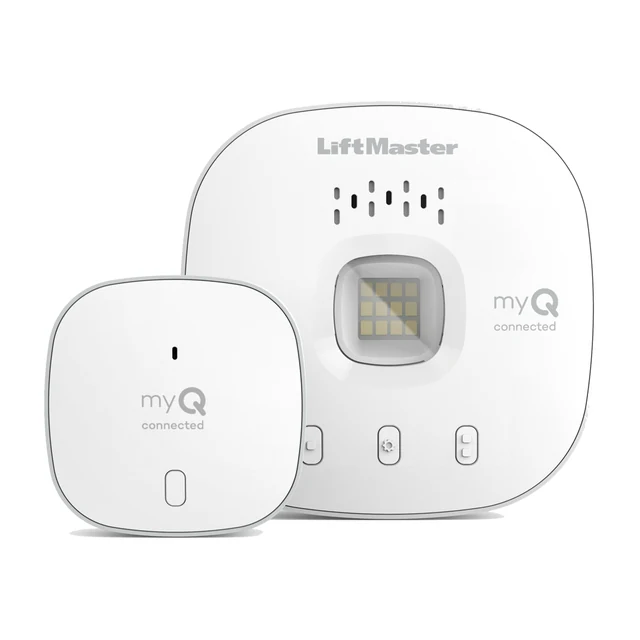
LiftMaster 821LMC-S Smart Garage Control
Best for adding phone control and status to garage door openers you already have.
Specifications and planning notes
myQ smart garage control that works with the myQ app
Connects to a 2.4 GHz Wi-Fi network (802.11 b/g/n); Bluetooth is used during setup
Can control up to two garage door openers when a second sensor is added
Supports additional myQ accessories on the same account, up to the official limit of 16
Hub measures 3.875 × 3.875 × 1.25 in
Made for most openers from 1993 on that already have standard safety sensors
We confirm the opener model and safety-sensor wiring before recommending this. It adds smart control; it does not replace a worn-out opener motor.
Related hardware
Readers and intercoms need a controller, a way to release the door, and clean power. Electric strikes, magnetic locks, and power supplies are chosen to match the door, the frame, and the life-safety plan for that opening.
Professional · Door controller
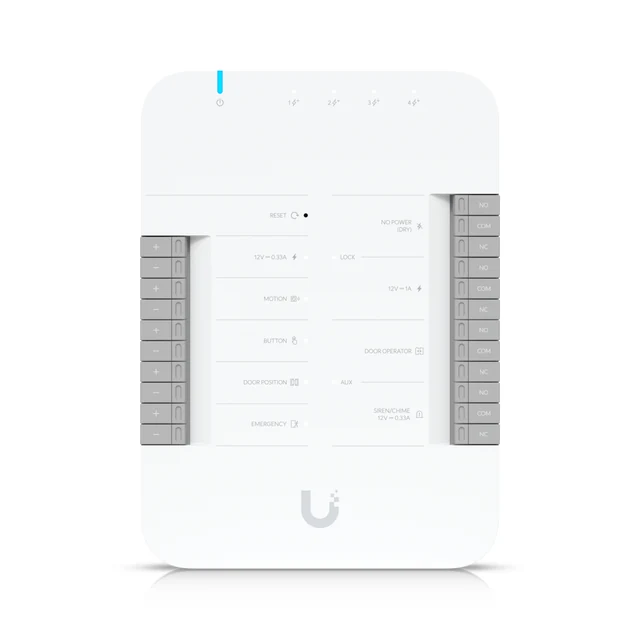
UniFi Door Hub
Best for a single door on a UniFi Access system, powering the reader and releasing the lock.
Specifications and planning notes
Controls one door and up to 6,000 users
Lock outputs: a dry relay (30 V DC, 1 A) or a powered 12 V DC, 1 A output, plus an auxiliary relay
Inputs for a request-to-exit device, a door-position sensor, and an emergency input
Five gigabit Ethernet ports: PoE++ input and four PoE+ outputs (45 W aggregate)
174.9 × 126 × 32.9 mm (6.9 × 5 × 1.3 in); DIN-rail mounting included; indoor use only
Managed through UniFi Access
Each additional door typically needs its own hub, unless a different UniFi Access controller is specified. We size PoE power and lock wiring on the visit.
Professional · Electric strike
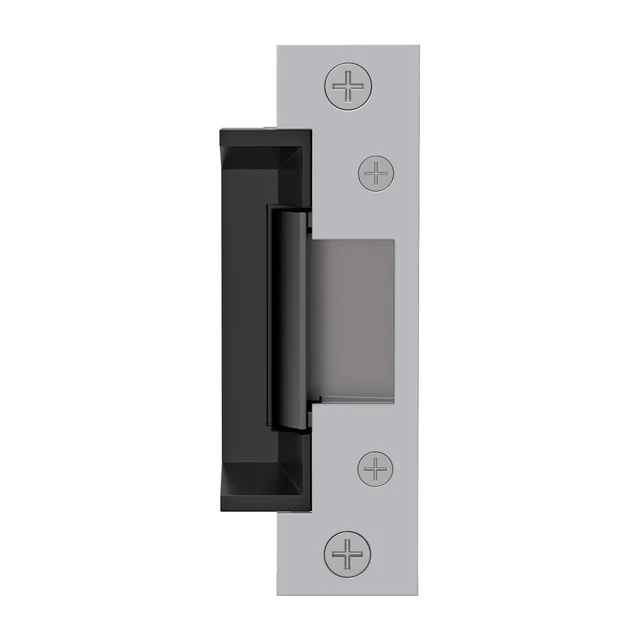
HES 5000 Series Electric Strike
Best for releasing a typical cylindrical lock in the door frame, fail-safe or fail-secure.
Specifications and planning notes
Low-profile electric strike for cylindrical locksets
Field-selectable fail-secure or fail-safe operation
Made for 1/2 in. to 5/8 in. latchbolts; 1-1/16 in. body depth
Operates at 12 or 24 V DC or AC (240 mA at 12 V; 120 mA at 24 V)
UL 294 and UL 1034 listed; suitable for outdoor use
The strike has to match the lock and the frame. We confirm the latch, the frame type, and whether the door should stay locked or unlock if power is lost.
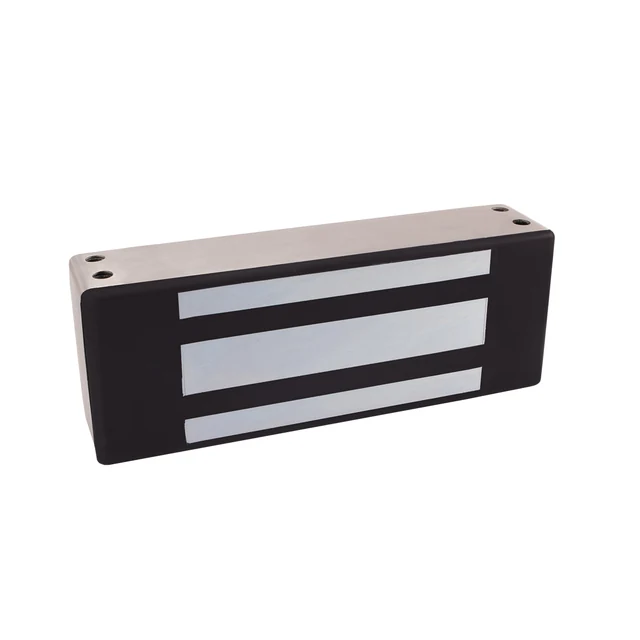
Professional · Magnetic lock
Securitron M62 Magnalock
Best for a door or gate leaf that needs a magnetic lock, where the plan and the fire life-safety rules allow it.
Specifications and planning notes
Electromagnetic lock with a 1,200 lb holding force
Automatic 12 or 24 V DC operation (250 mA at 12 V DC; 150 mA at 24 V DC)
Housing is 8 × 3 × 1.75 in (203 × 76 × 44 mm)
Operating temperature −40 to 140°F (−40 to 60°C)
Weather-resistant design for indoor or outdoor use
BondSTAT and door-position-switch options are part of the official line
Magnetic locks are planned with the right exit hardware and, where required, a fire-alarm release. We will only recommend one when it is the right fit for the door and the applicable rules.
Professional · Power supply
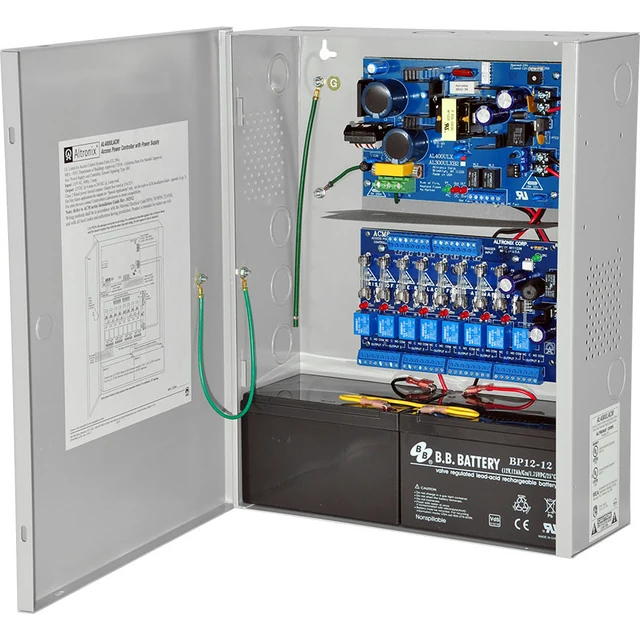
Altronix AL400ULACM
Best for powering several locks and door devices from one supervised supply, including a fire-alarm disconnect.
Specifications and planning notes
Access-control power supply and charger in a metal enclosure
Input is 115 V AC, 60 Hz
Eight independently controlled, fused Class 2 outputs
12 V DC at 4 A or 24 V DC at 3 A, for fail-safe or fail-secure locking devices
Battery charging and automatic switchover if AC power is lost, when batteries are installed
Supervision contacts and a per-output fire-alarm disconnect
Lock power is planned separately from PoE for readers and intercoms. Battery backup runtime depends on the load and the batteries we install; we size that on the visit.
How we install
We wire systems properly. We don’t leave exposed wires.
Some installers rush to finish. We don’t. Every run is planned, protected where it needs to be, and finished cleanly, following manufacturer guidance and applicable code.
Planned and wired properly
We map each run before we start, so cameras, locks, intercoms, and network gear are wired as a system — not as last-minute add-ons.
Protected with the proper conduit
Where cable leaves the walls, crosses an exterior, or would otherwise be exposed, we protect it with the proper conduit or raceway.
No exposed or dangling wires
Loose cable along a wall, soffit, or eaves is not how we leave a job.
Clean, secured, and labeled
Runs are fastened neatly and labeled at both ends, so the system is easy to follow later.
Weatherproofed and sealed
Exterior connections are weatherproofed, and wall penetrations are sealed so water and pests stay out.
A tidy rack or closet
The equipment closet is organized and finished, not a tangle behind a closed door.
Tested before we hand it over
We test the system with you and leave only when everything works the way it should.
Planning notes
The door, the wiring, and the people come first.
A lock, a reader, and a door station are only part of the system. Power, a controller, and the way the door or gate actually releases have to be planned together.
We look at every entry that matters — front door, side gate, driveway gate, garage, ADU, or lobby — before recommending a model.
Product names and photos belong to their manufacturers. Specifications are from manufacturer materials reviewed in November 2026 and may change. Hardware revisions and regional versions can differ. Lowvolt Electric Inc. is an independent installer. These examples are not a catalog of everything we can install, and they are not a promise that every model is the right fit for every door.